
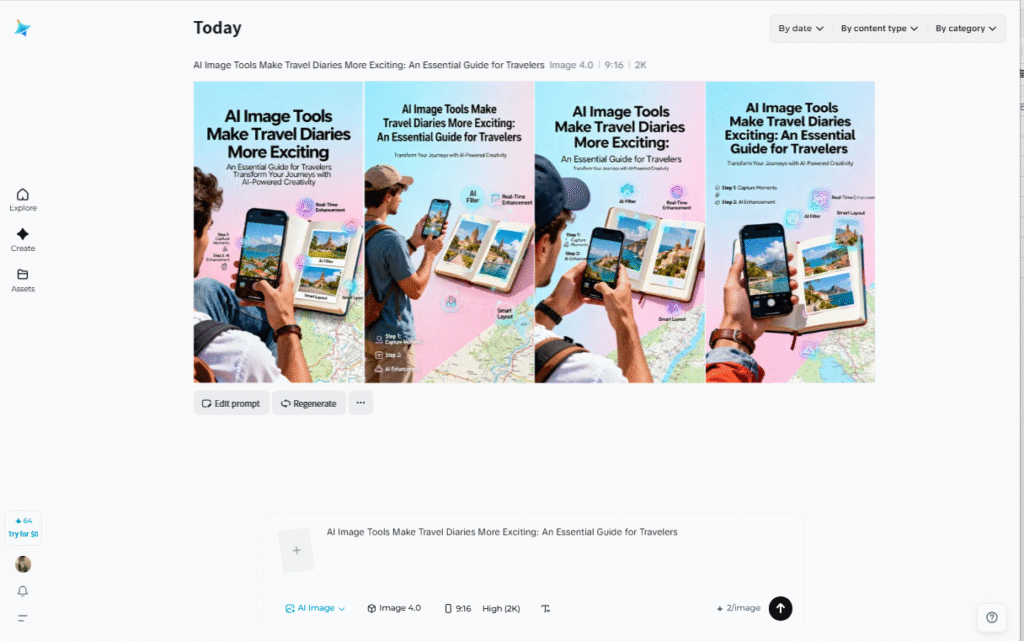
Ever struggle to capture perfect travel moments? Bad weather ruins your shots sometimes. Finding the right angle can be tough. Maybe you need more photos for your blog.
These problems are super common for travelers. But there’s a solution now. AI photo generator tools can help you out. They create stunning travel images from scratch.
You can preview destinations before booking trips. Creating content after traveling becomes much easier. This guide shows you exactly how it works.
We’ll cover everything from basic steps to pro tips. Your travel stories will look way more professional. Let’s dive into the world of AI creation.
Table of Contents
What’s Inside This Guide
- Meet Dreamina: Your travel creation partner
- Real ways to use AI for travel
- Tips that actually improve your results
- Quick answers to common questions
Meet Dreamina: Your Travel Creation Partner
Dreamina is a powerful creation platform for travelers. It offers a free AI art generator anyone can use. The tool solves your photo shortage problems fast.
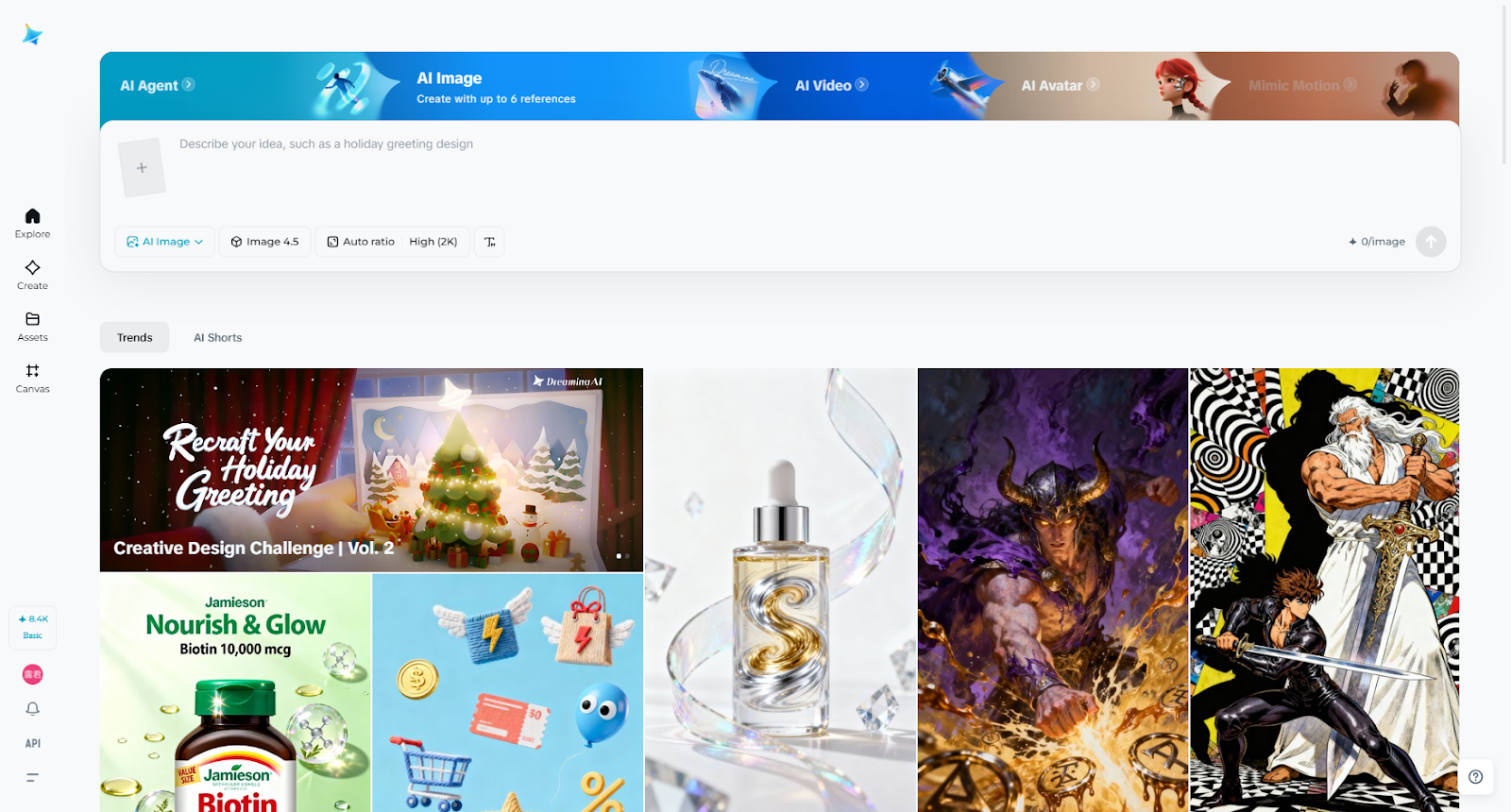

You describe what you want in plain words. Or upload a photo as your style reference. The AI creates professional-looking images within seconds.
What Makes Dreamina Special
Two Ways to Create: Type what you need or show an example. Both methods work really well for travel scenes. You get exactly what you’re imagining. You can also utilize Dreamina’s AI video generator to make your visuals move.
Every Travel Style Covered: Beaches, mountains, cities, or countryside shots. Ancient temples or modern skyscrapers work too. Night scenes look just as good as daytime.
Quick Enhancement Tools: The Retouch feature sharpens all the details. Upscale bumps your image to crystal-clear 4K. Perfect for printing or big screen displays.
Smart Editing Options: Remove unwanted tourists from your frame easily. Add missing elements like sunsets or landmarks. The Inpaint tool does this magically.
How to Create Your Images
First Step: Describe Your Dream Scene
Open Dreamina and pick the “Text/Image to Image” option. Write down exactly what you’re picturing clearly.
Here are some working examples:
“Bali beach at sunset with golden light dancing. Traditional fishing boats sit on the distant horizon. Coconut trees sway gently along the shoreline.”
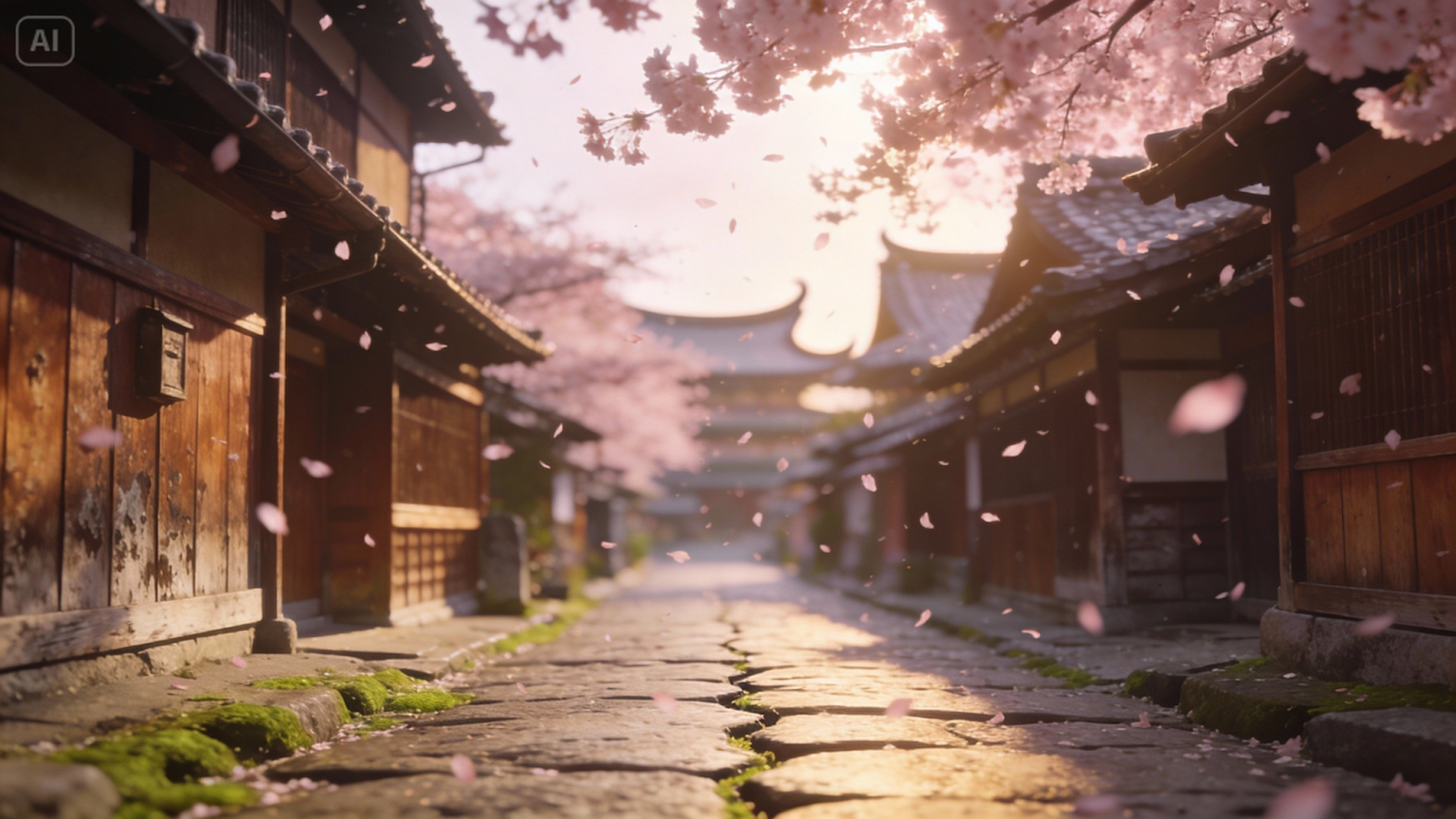
“Old Kyoto street lined with wooden Japanese buildings. The stone pathway winds through the quiet neighborhood. Cherry blossoms drift softly through the air.”
“Norwegian fjord with towering cliffs beside deep water. Waterfalls cascade down from mountain peaks above. Northern lights shimmer across the evening sky.”
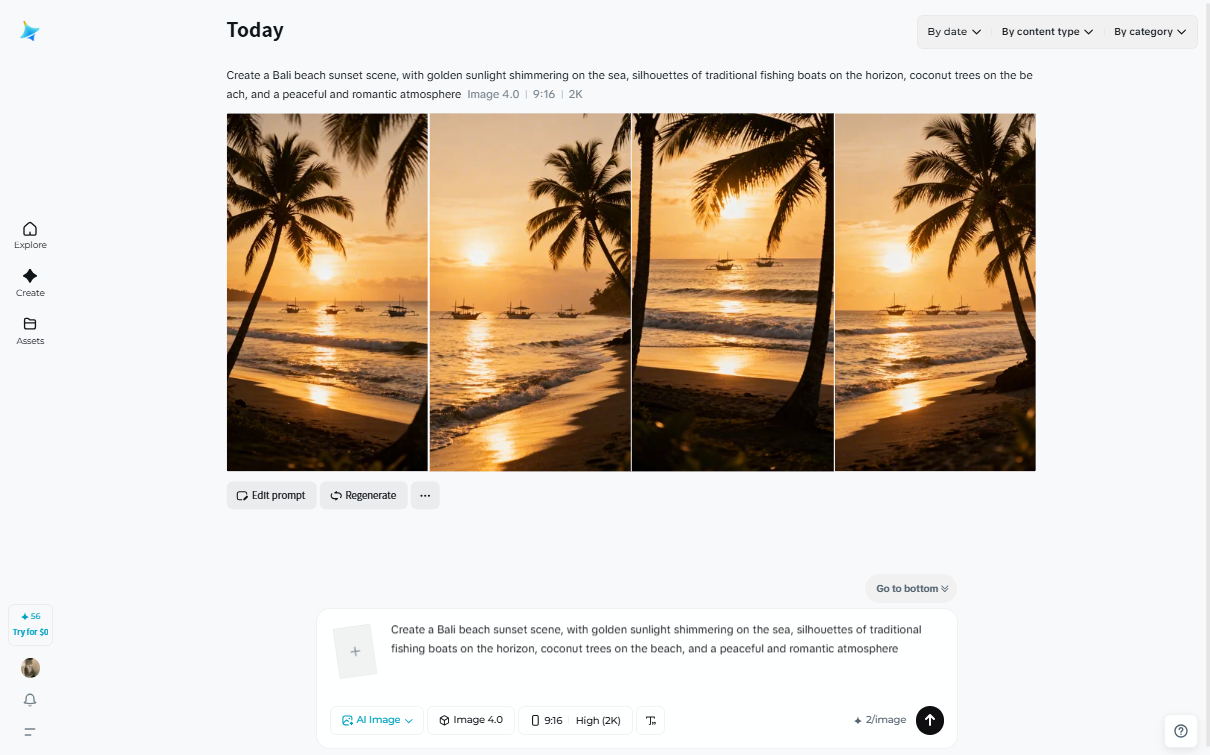

You can also upload your own travel pictures. The AI will match that style perfectly.
Second Step: Pick Your Settings
Choose the style that matches your vision. Select quality settings based on your needs. Dreamina offers different sizes for different uses.
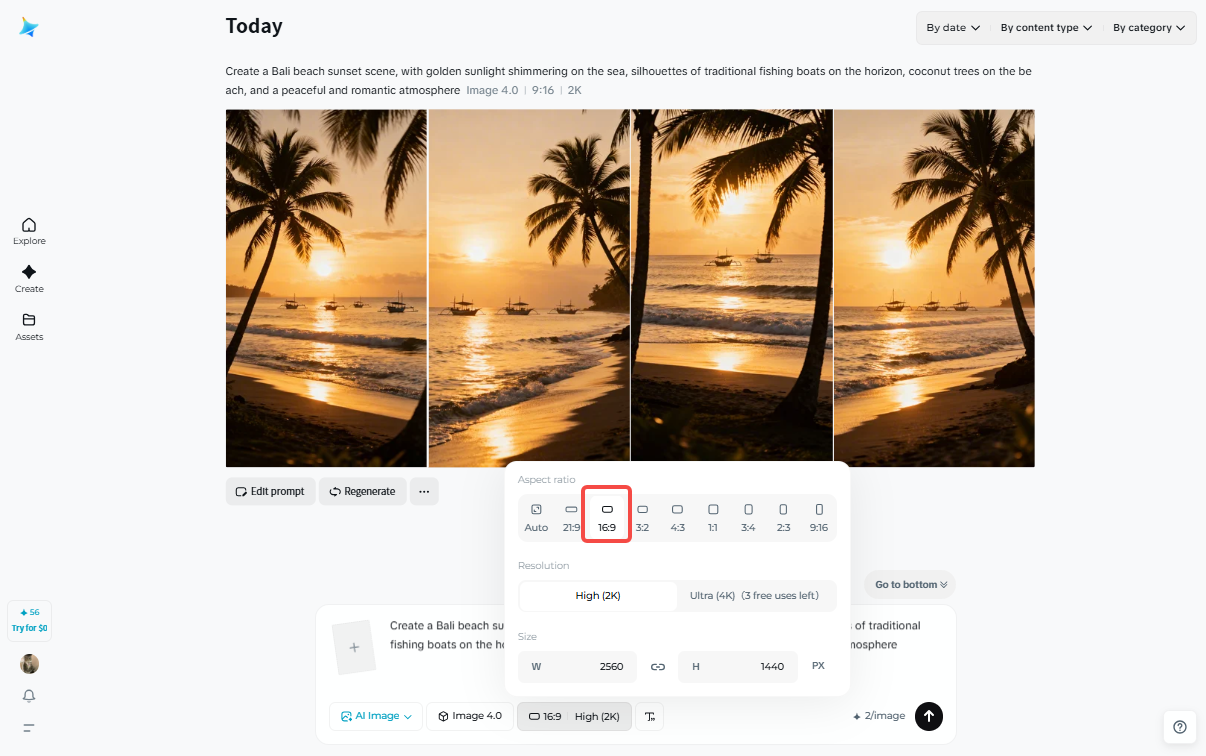

Use 16:9 for wide landscape shots. Pick 9:16 for phone screens and stories. Square 1:1 works great for Instagram posts. Hit “Generate” when you’re all set.
Third Step: Polish and Save
Your image appears in just a few moments. Now you can make it even better.
Try “Creative upscale” for ultra-sharp 4K quality. Use “Retouch” to enhance overall image clarity. Apply “Inpaint” to add or change details.
Happy with the result? Click “Download” to keep your creation.
Real Ways to Use AI for Travel
AI generators like Dreamina solve actual travel problems. Here’s how real people use them daily.
Planning Your Next Adventure:
See your destination before you actually go there. Share preview images with your travel buddies. Everyone gets excited about the upcoming trip.
Filling Your Travel Blog:
Create gorgeous images for every blog post. Missing photos from certain spots? No problem anymore. Your content looks complete and professional now.

Boosting Social Media Posts:
Stand out on Instagram, TikTok, or Pinterest. Eye-catching covers get way more attention. Your engagement numbers will definitely go up.
Making Better Travel Videos:
Generate covers and transition scenes for vlogs. Opening animations look super polished and professional. Your videos feel complete from start to finish.
Promoting Travel Destinations:
Tourism businesses can showcase destinations in any season. Hotels display their property under perfect conditions. Marketing materials look stunning without expensive photoshoots.
Creating Personal Keepsakes:
Design custom postcards from your favorite trips. Make unique photo albums or wall art. These souvenirs preserve your memories beautifully forever.
Tips That Actually Improve Your Results
Master these tricks to create better travel content. Small changes make huge differences in quality.
Writing Better Descriptions
Include Specific Location Details: Mention actual landmarks and architectural styles clearly. “Tuscan hills covered in vineyards with stone farmhouses” beats “nice countryside view” every time.
Describe the Lighting Carefully: Specify sunrise, midday, sunset, or nighttime scenes. Mention if light is soft, harsh, or dramatic. This changes your photo’s entire mood completely.
Add Emotional Atmosphere: Use words like peaceful, bustling, mysterious, or romantic. The AI understands feelings better than you think. Your images will capture the right vibe.
Explain Your Camera Angle: Say if you want wide, close-up, or medium shots. Mention if shooting from above, eye-level, or below. Composition matters a lot in travel photography.
Special Tricks for Different Scenes
Natural Landscapes: Focus on weather, seasons, and natural features. “Autumn maple forest with morning mist and sunshine. Small stream flows through red and orange leaves.”
Urban Streets: Describe buildings, pavement, and the overall vibe. “European cobblestone alley with colorful historic buildings. Café tables sit outside under striped awnings.”
Cultural Moments: Add unique local touches to your description. “Moroccan spice market with bright colors everywhere. Hand-woven carpets hang on ancient stone walls.”
Fixing Common Problems Fast
Images Look Too Flat? Add more movement and contrast to descriptions. “Sunset fishing village with boats returning to shore. Nets dry on the beach below mountain silhouettes.”
Doesn’t Look Like Real Photography? Specify “travel photography style” or “documentary style” clearly. You can even say “National Geographic magazine style.”
Details Seem Fake? Increase quality settings before generating your image. Use the Retouch function after creation, too. Upload better reference photos for more realism.
Wrapping Things Up
AI technology has changed travel content creation completely. Tools like Dreamina make professional visuals accessible to everyone. You don’t need expensive cameras or editing skills.
Personal travel diaries look way more engaging now. Social media posts get better reactions from followers. Professional travel blogs compete with major publications easily.
Dreamina’s interface is simple enough for beginners. The quality rivals professional photography in many cases. Features cover everything from planning to final publishing.
Travel planning becomes more visual and exciting. Content creation happens faster than ever before. Social media sharing reaches more people naturally. Commercial promotion costs drop significantly, too.
Building a travel brand? Dreamina’s AI logo generator can also help you design professional brand identities, adding a sense of professionalism to your travel IP.
Try Dreamina today and see the difference yourself. AI becomes your creative partner for every trip. Good visuals help your stories reach bigger audiences. More people will see and love your content.
Common Questions People Ask
Can AI replace my real travel photos?
AI works best alongside your actual travel pictures. Use it for planning references and creative content. But real photos carry your personal experiences forever. AI can’t capture those genuine emotions and moments. Combine both approaches for the best results possible.
How long does creating an image take?
Each image is generated in just a few seconds. Getting your perfect result might need some adjustments. The whole process usually takes five to ten minutes. Experimenting with different descriptions helps a lot.
Can I use these for travel guides?
Absolutely, they work great for guides and blogs. Social media content benefits from AI images too. Just mention they’re AI-generated when sharing them. Transparency helps maintain trust with your audience always.
Is Dreamina free for creators to use?
Dreamina gives free daily credits for image creation. Editing tools are included in the free tier. You can create travel content without spending money. The free version is quite generous, actually.
Do I need photography skills to start?
Not at all, that’s the whole point here. Dreamina helps non-photographers create beautiful images easily. Just describe what you’re imagining in your head. Try a few times, and you’ll improve quickly.
*This article has been contributed to Owl Over The World.